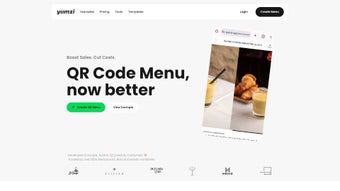

Download Yumzi – AI‑Powered Smart Menus for Restaurants
Overview
Yumzi is a cloud‑based, subscription‑driven software application that brings artificial‑intelligence directly into restaurant menu management. In the fast‑moving hospitality industry, static menus quickly become outdated, missing out on emerging food trends, seasonal ingredients, and shifting guest preferences. Yumzi solves this problem by continuously ingesting point‑of‑sale data, reservation patterns, inventory levels, and even social‑media sentiment to generate real‑time menu recommendations.
The AI engine evaluates each dish’s profitability, popularity, and preparation complexity, then suggests adjustments that nudge diners toward higher‑margin items while preserving a balanced, appealing offering.
The platform’s architecture is built on secure, multi‑regional cloud infrastructure, which eliminates the need for on‑premise servers and reduces IT overhead. Because Yumzi is accessed through a responsive web interface, restaurant owners and managers can edit menus from a Windows PC in the back office, a macOS laptop on the patio, an Android tablet in the kitchen, or an iPhone while on the road.
All actions are saved instantly and synchronized across devices, ensuring that every staff member works with the most up‑to‑date information.
Yumzi’s subscription model includes regular AI model updates, new feature rollouts, and dedicated customer support. Compliance with GDPR, CCPA, and other data‑privacy regulations is baked into the platform, giving peace of mind to restaurants that handle sensitive customer data.
Whether you operate a single‑location bistro, a regional chain, or a nationwide franchise, Yumzi scales with your business, turning menu optimization from a manual, time‑consuming task into an automated, data‑driven growth engine. In short, Yumzi is more than a menu editor; it is a revenue‑optimization partner that blends culinary expertise with cutting‑edge technology.
Key Features
- AI‑Driven Menu Recommendations: Real‑time suggestions based on sales performance, customer feedback, and emerging food trends.
- Dynamic Pricing Engine: Automatic price adjustments that highlight high‑margin dishes or react to supply‑chain fluctuations.
- Seasonal & Trend Alerts: Notifications when new ingredients or cuisines gain popularity in your market.
- Customizable Dashboard: Drag‑and‑drop widgets let you prioritize the metrics that matter most to your operation.
- Multi‑Location Synchronization: Keep menus consistent across all branches while allowing local adaptations.
- Real‑Time Collaboration: Chefs, managers, and marketers can comment on proposed changes directly within the platform.
- Secure Cloud Hosting: End‑to‑end AES‑256 encryption protects menu data and customer insights.
- Integration Friendly: Seamless connections with major POS systems (Toast, Square, Lightspeed), reservation platforms, and inventory tools.
- Analytics Export: Download CSV or PDF reports for deeper analysis or board presentations.
- Continuous Updates: New AI models and UI enhancements are rolled out automatically, keeping the tool future‑proof.
Each feature has been designed with both usability and performance in mind. The AI engine, for example, runs on scalable cloud GPUs that can process millions of transaction records in minutes, delivering actionable insights without slowing down the user interface. The dynamic pricing engine respects local tax regulations and can be configured to apply time‑of‑day or day‑of‑week rules, giving restaurants the flexibility to run happy‑hour promotions or weekend specials automatically. Integration with existing POS systems is handled through OAuth, ensuring that credentials are never stored in plain text and that data flows securely between platforms. Together, these capabilities make Yumzi a comprehensive, all‑in‑one solution for modern restaurant operators seeking to turn data into profit.
Installation & Compatibility
Step‑by‑Step Setup Guide
Because Yumzi is a cloud‑native web application, there is no traditional installation process. Getting started takes only a few minutes:
- Create Your Account: Visit yumzi.com, click “Start Free Trial,” and complete the registration form. Confirm your email address through the verification link sent to your inbox.
- Connect Your POS System: From the dashboard, go to Settings → Integrations. Choose your POS provider (e.g., Toast, Square, Lightspeed) and follow the OAuth prompts. Yumzi will automatically import historical sales data, which serves as the foundation for its AI recommendations.
- Build Your First Menu: Navigate to the “Menu Builder” tab, import existing items via CSV or create new dishes manually. Tag each item with attributes such as “vegetarian,” “spicy,” or “high‑margin,” and assign base prices. Save the menu, and Yumzi will begin analyzing data and presenting insights within 24 hours.
- Configure Preferences: Use the “Preference Weighting” panel to prioritize specific categories, profit margins, or dietary tags. This ensures the AI tailors its suggestions to your strategic goals.
- Go Live: Once you’re comfortable with the first set of recommendations, publish the updated menu to your POS and front‑of‑house displays. Ongoing changes are reflected instantly across all connected devices.
Supported Operating Systems & Devices
Yumzi’s responsive design works on any modern browser, making it fully compatible with Windows 10/11, macOS 10.15+, Chrome OS, Android 8.0+, and iOS 13+. The platform adapts to desktop, tablet, and smartphone screen sizes, allowing you to manage menus from a Windows PC in the back office, a MacBook on the patio, an Android tablet in the kitchen, or an iPhone while you’re on the go.
For organizations that require a more controlled environment, Yumzi offers a white‑label deployment that can be hosted on private clouds such as AWS, Azure, or Google Cloud. This option retains all AI capabilities while giving you full control over data residency and compliance—particularly important for chains operating in regions with strict data‑localization laws. Regardless of the deployment choice, Yumzi delivers a consistent, secure experience with zero‑maintenance client software.
Pros, Cons, FAQ & Conclusion
What Users Love About Yumzi
- AI recommendations become highly accurate after the first month of data collection.
- Real‑time updates let you react instantly to supply changes or emerging food trends.
- Multi‑location synchronization saves time for franchise owners and regional managers.
- Intuitive UI requires minimal training for staff across all skill levels.
- Secure cloud hosting eliminates the need for on‑site servers and reduces IT overhead.
- Flexible subscription tiers cater to both small cafés and large restaurant groups.
Areas for Improvement
- The initial AI learning period (first two weeks) may produce generic suggestions until sufficient data is gathered.
- No native offline mode; an internet connection is required for any menu changes.
- Advanced pricing rules, such as time‑of‑day dynamic pricing, are only available on the premium plan.
- Integration list, while extensive, does not yet include a few niche POS systems popular in boutique restaurants.
- Exported analytics reports could benefit from richer visual chart options.
Overall Rating: 4.5 out of 5 stars
Frequently Asked Questions
How does Yumzi collect data for its AI recommendations?
Yumzi integrates directly with your POS system to pull historical sales, item popularity, and transaction timestamps. It can also connect to reservation platforms and social‑media listening tools to capture broader customer sentiment.
Is there a free trial or a free tier available?
Yes, Yumzi offers a 14‑day free trial with full feature access. After the trial, you can choose from three subscription plans—Starter, Growth, and Enterprise—each billed monthly or annually.
Can I customize the AI model to prioritize specific dishes?
Absolutely. The “Preference Weighting” panel lets you assign higher importance to certain categories, profit margins, or dietary tags. The AI then tailors its suggestions accordingly.
What security measures does Yumzi employ?
Yumzi uses AES‑256 encryption for data at rest and TLS 1.3 for data in transit. Regular third‑party security audits and GDPR/CCPA compliance ensure that your restaurant’s data remains protected.
How quickly can I see a return on investment?
Most users report a noticeable uplift in average check size within the first 30‑45 days after implementing Yumzi’s recommendations, thanks to smarter item placement and dynamic pricing.
Conclusion – Why Yumzi Is Worth the Download
In an industry where margins are thin and guest expectations evolve daily, having a data‑driven ally can be the difference between stagnation and growth. Yumzi delivers exactly that: a secure, cloud‑based platform that transforms raw sales data into actionable menu insights. Its AI engine, while needing a brief warm‑up period, quickly becomes a reliable source of recommendations that boost both customer satisfaction and revenue.
The ease of adoption—no software to install, instant cross‑device compatibility, and a straightforward integration process—means you can start optimizing your menu from day one. While the premium features carry a subscription cost, the potential uplift in sales, reduction in waste, and improved guest experience typically offset the expense for most establishments.
If you’re ready to modernize your menu, increase average spend, and stay ahead of culinary trends, download Yumzi today and take the first step toward a smarter, more profitable restaurant operation.



.png)



